Plugin Review Process
Intended Audience: This documentation is geared towards members of the Plugin Reviewer Pool, as a reference / refresher for the plugin review process.
Review Rubric
Reviewer Instructions: Please review the plugin submission pull request based on the following criteria:
The only modification to
plugins.jsonwas to add a new entry for this plugin; no other changes were madeThe submitter included all required information in the PR description, including:
The plugin repo URL;
A brief description of the plugin’s motivation and context;
Acknowledgment of the Code of Conduct
The plugin is germane to NatCap’s work, broadly (it has to do with nature and/or nature’s benefits to people)
The plugin has documentation and documents data needs
The plugin’s documentation appears relevant to the plugin’s description
The plugin’s name is unique and appropriate (it adheres to the Code of Conduct)
When leaving a review, if you are requesting changes, please provide a brief explanation of the missing or unmet criteria for the plugin submitter to address.
Submitting a Review
After reading through the content of the PR submission body and checking relevant files in
the plugin repository, please also double-check the files changed by the PR. Only
plugins.json should have been modified. Conducting a PR review will require looking
at both the “Conversation” tab (where you can view the submitter’s PR comment and the
comment containing values extracted from the pyproject.toml) and the “Files changed” tab
(where you can view the changes to plugins.json and where you will write your review
comment). You may find it helpful to have the PR open in two browser tabs, rather than
jump back and forth between the “Conversation” and “Files changed” tabs on GitHub itself.
To submit a review:
On the PR, you should see a banner at the top of the page that says “This pull request is waiting on your review.” Click the green “Add your review” button. This will take you to the “Files changed” tab, where you can see the changes the submitter made to
plugins.json. Alternatively, you can manually navigate to the “Files changed” tab.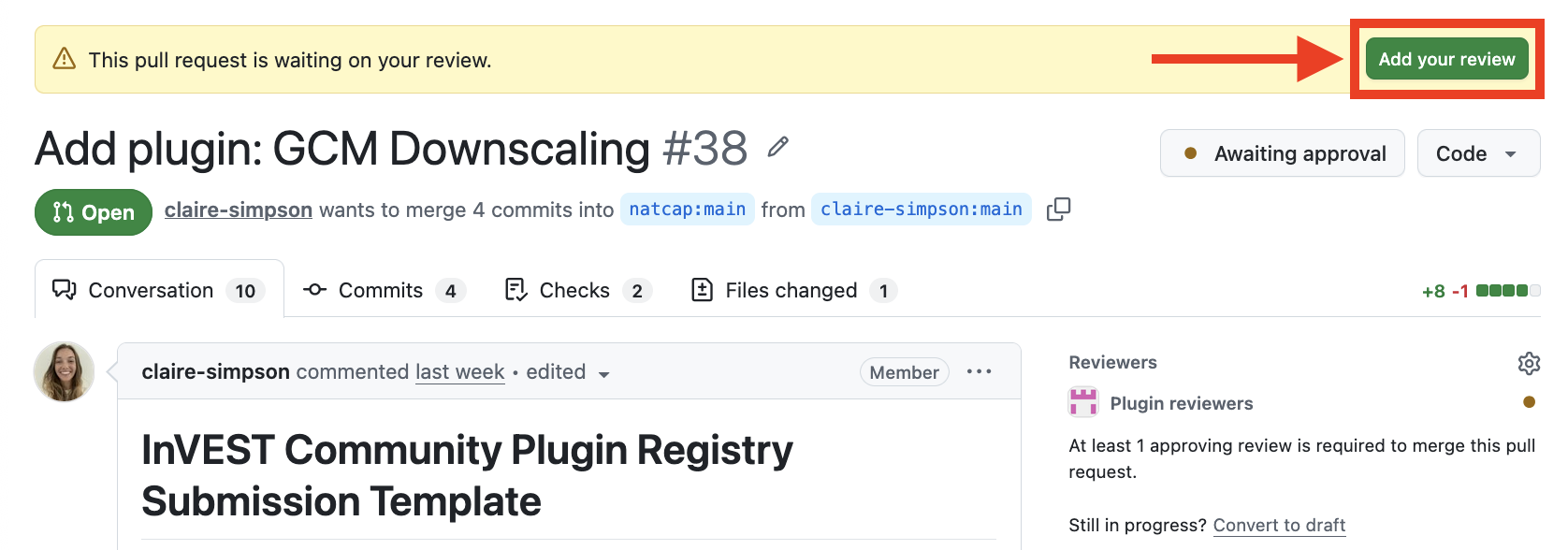
On the “Files changed” tab, click the green “Submit review” button
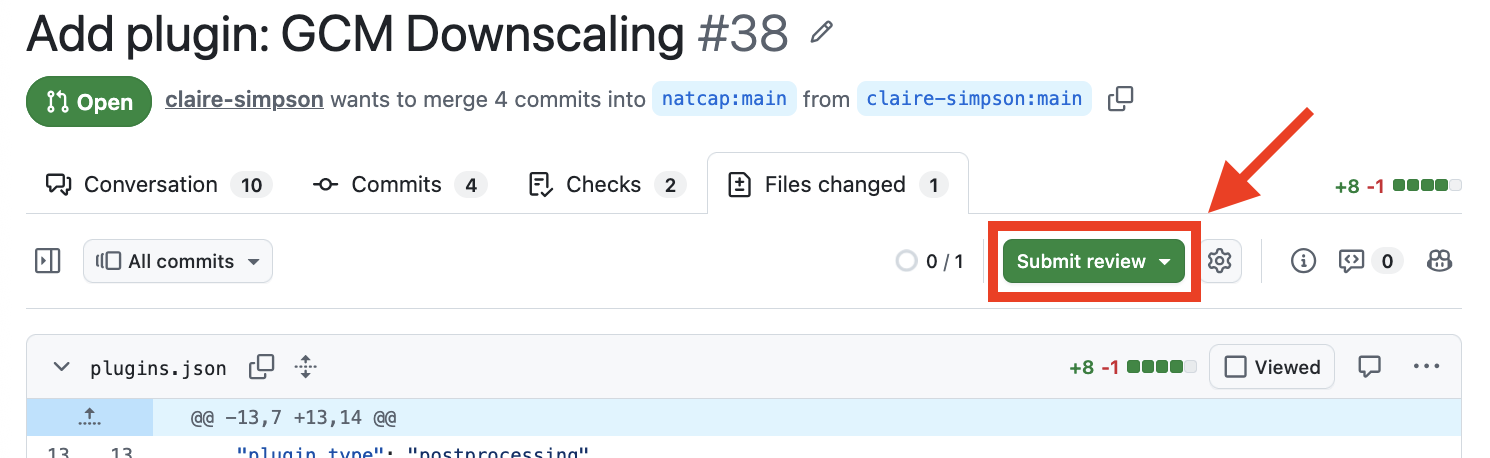
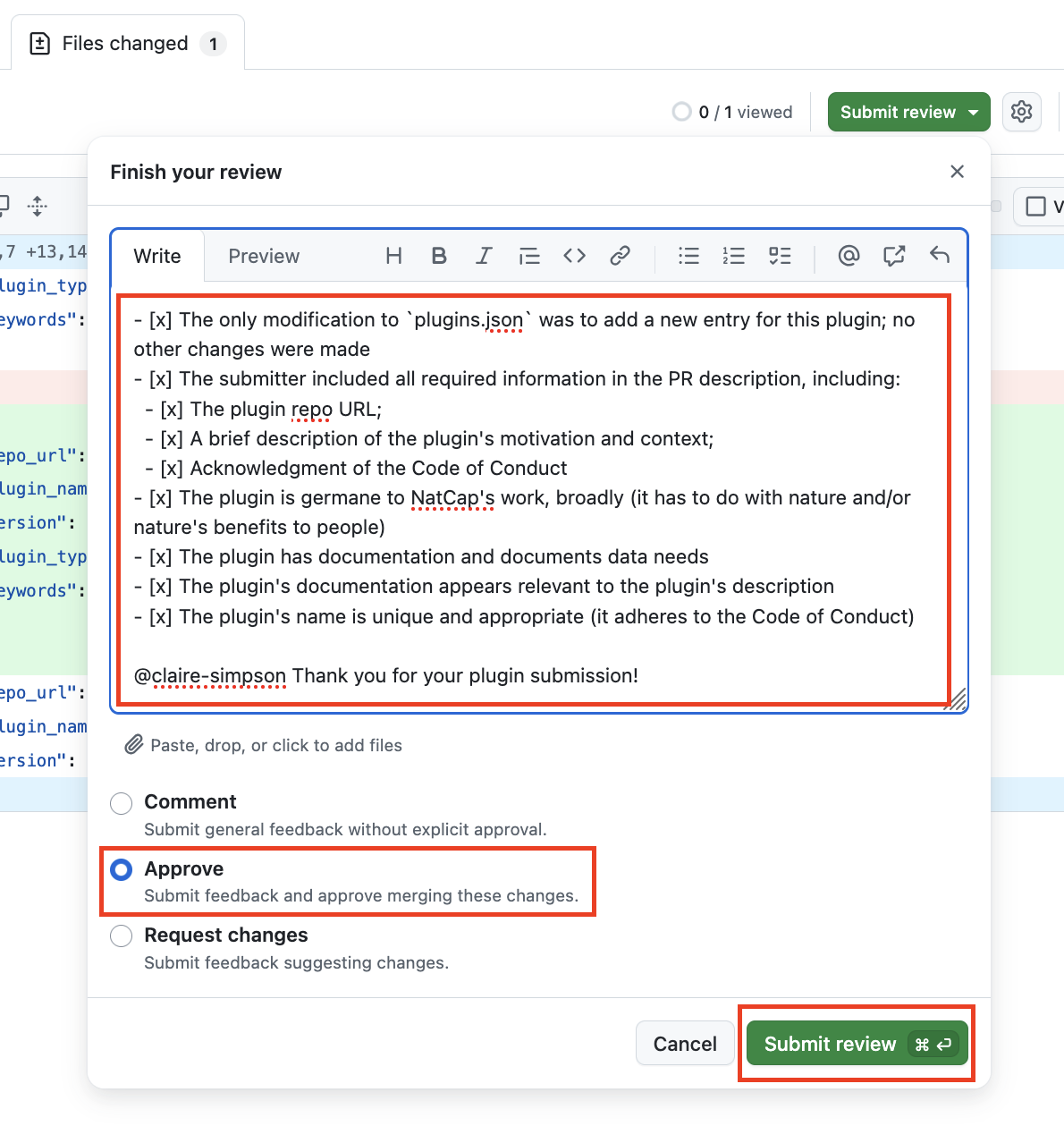
If the submission met all of the criteria in the review rubric:
In the “Leave a comment” section, write a brief comment that tags the submitter (e.g.
@natcap-bot) and thanks them for their submissionSelect the “Approve” radio button
Click the green “Submit review” button
Back in the Conversation tab, click the “Merge pull request” button (near the bottom of the page)
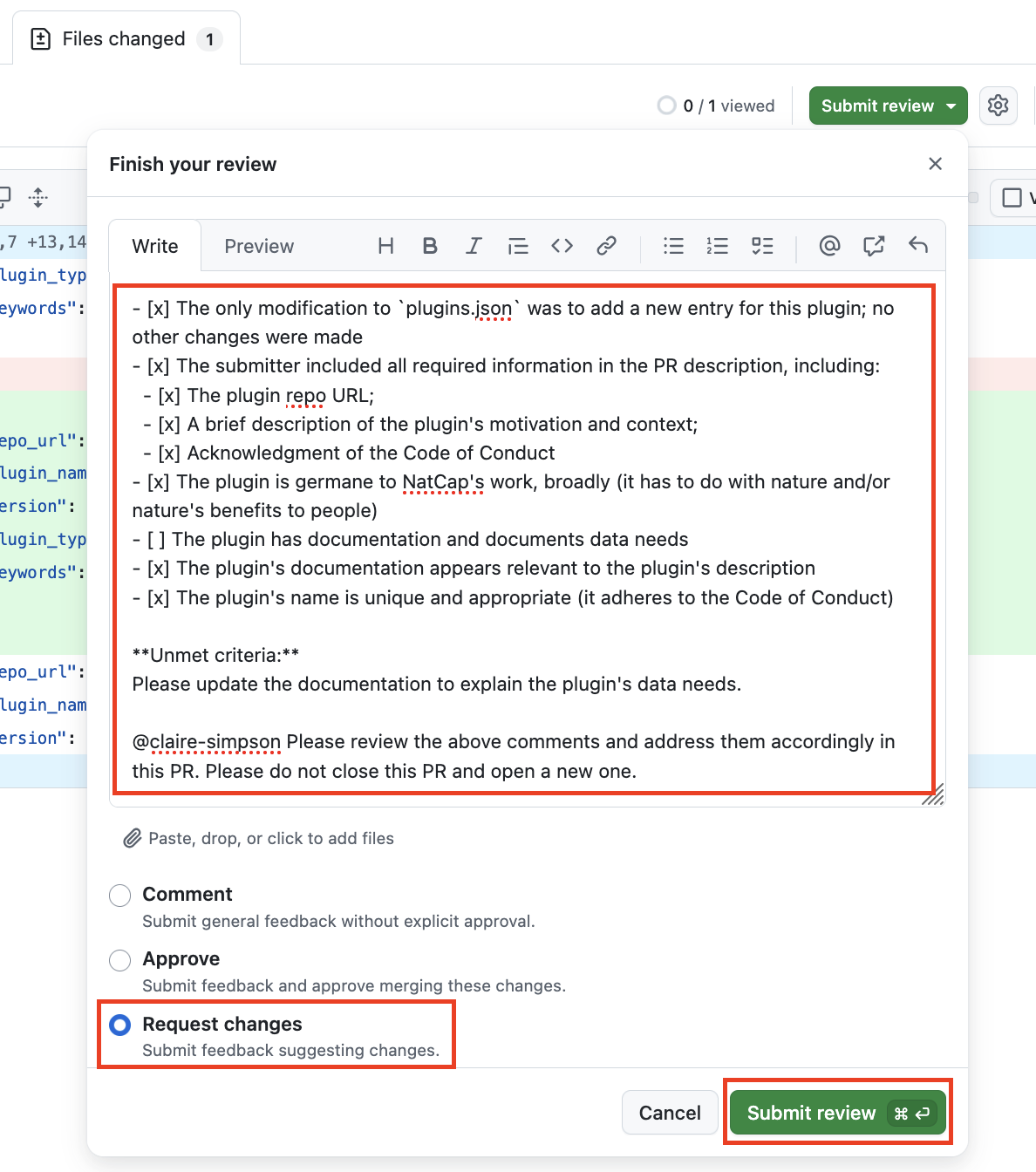
If the submission failed to meet all of the criteria in the above rubric:
In the “Leave a comment” section:
Paste the review rubric and check the boxes for the criteria that have been met (by placing an
xbetween the brackets, e.g.[x])Write an explanation of the missing / unmet criteria
Replace the
@submitterwith the submitter’s username (e.g.@natcap-bot)Include the following instructions for the submitter: “Please review the comments above and address them accordingly in this PR. Please do not close this PR and open a new one.”
Select the “Request changes” radio button
Click the green “Submit review” button
Rubric for easy copy-paste:
Hover over the code block below and a “Copy to clipboard” button will appear in the upper right-hand corner. This code block is properly formatted for pasting into GitHub.
**Plugin Review Rubric:**
- [ ] The only modification to `plugins.json` was to add a new entry for this plugin; no other changes were made
- [ ] The submitter included all required information in the PR description, including:
  - [ ] The plugin repo URL;
  - [ ] A brief description of the plugin's motivation and context;
  - [ ] Acknowledgment of the Code of Conduct
- [ ] The plugin is germane to NatCap's work, broadly (it has to do with nature and/or nature's benefits to people)
- [ ] The plugin has documentation and documents data needs
- [ ] The plugin's documentation appears relevant to the plugin's description
- [ ] The plugin's name is unique and appropriate (it adheres to the Code of Conduct)

**Explanation of missing / unmet criteria:**
[Replace with your explanation]

---

@submitter, please review the comments above and address them accordingly in this PR. Please do not close this PR and open a new one.